What's new in SDScribe™ 2019
Easier to use and more capable
o General
§ More intuitive controls on browse lists
§ Enhanced search capabilities on browse lists
§ More informative confirmation dialogs, explaining what the program is about to do or what it has done
§ Single-click option for editing tables (set in Preferences)
§ Adding a row to a table will (in most cases) place the cursor into the first enterable cell
§ More extensive Research menu on entry forms (internet connection required)
§ Improved printing from browse lists, with more print templates
§ Enhanced "select" dialogs for narrowing a list of Substance records (my items, validated items, find text)
§ More validated Substances
§ Improved stock phrases dialog, with:
· Language/translation capabilities
· Flexible import (tab-delimited text or csv, with 2, 4, or 6 columns)
o Safety
Data Sheets
§ More templates for starting SDSs
§ More intuitive controls, grouped by function
§ Burgundy labels on SDS forms indicate required entries
§ Improved SDS background help, with "Quick start" directions at the top
§ Improved tour and guide window information
§ Improved error checking ("action items"), with priority ranking of SDS items
§ Easier GHS hazard classification procedure, and a summary at the top of the Suggestion report
§ Add GHS hazards from different GHS revisions (e.g., add environmental hazards to a US-OSHA SDS)
§ Access to building an SDS or a GHS label while on any tab of the SDS entry form
§ New warning if priority action items remain, before user builds the SDS
§ Video instructions on several SDS tabs, and on the SDS browse list (internet connection required)
o Production
batches
§ Simplified batch entry form, with buttons grouped at left edge
§ Easier column lock on entry form
§ Fewer interruptions after making changes (a "frame" appears around the Check button instead, indicating that diagnostics are available)
§ Automatic calculation of batch total, number of containers, actual concentration, and costs when user changes ingredient amounts
§ Quick access to linked Substance records, to update specific gravity and/or density
§ Automatic calculation of estimated average density for the batch (lb/gal) appears in the footer of the "Physical" column. It can be fed back into the linked Substance record for more accurate batch totals and container estimates when using volumetric units.
§ Use any available synonym for ingredient names (formerly option limited to using INCI name)
§ Automatic EPA/SBAQMD volatiles calculations for paints and inks
§ Volatiles shrinkage allowance
§ Ingredient label generator
§ Videos available on entry form
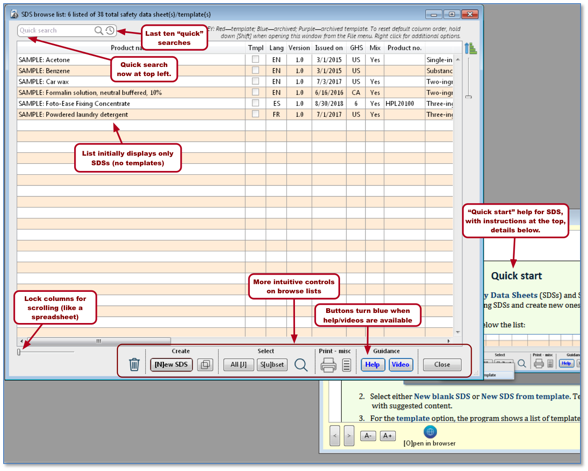
SDS Browse list
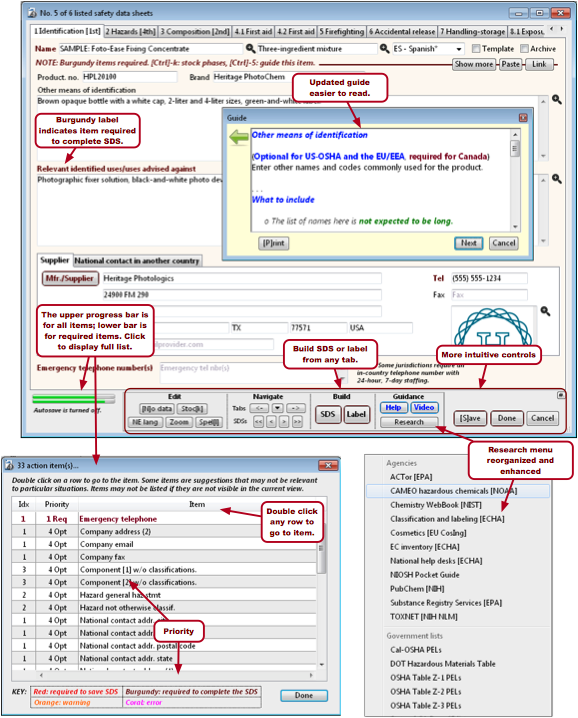
SDS entry form and action items
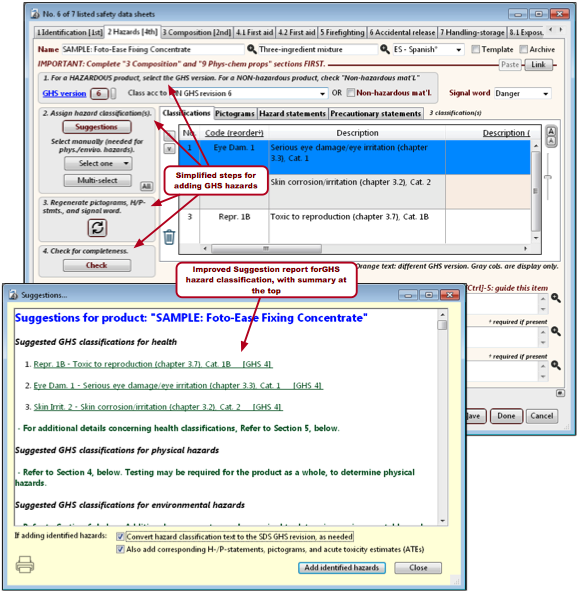
SDS entry form, "2 Hazards" tab, showing Suggestion report
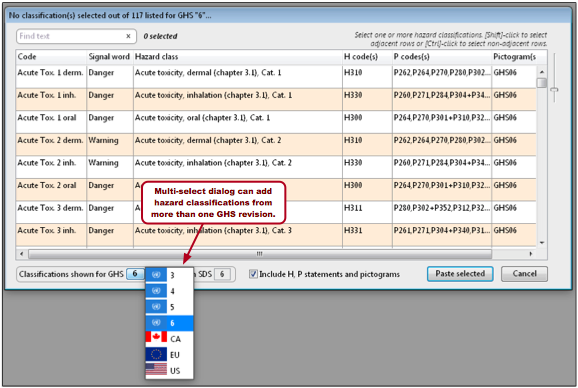
Multi-select dialog for adding GHS hazard classifications
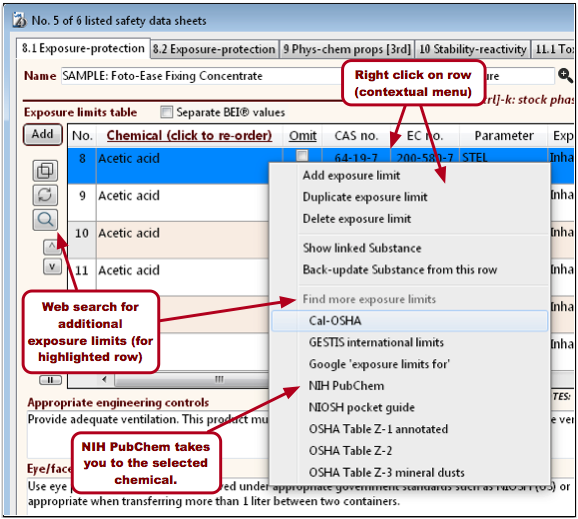
SDS entry form, Exposure-protection tab
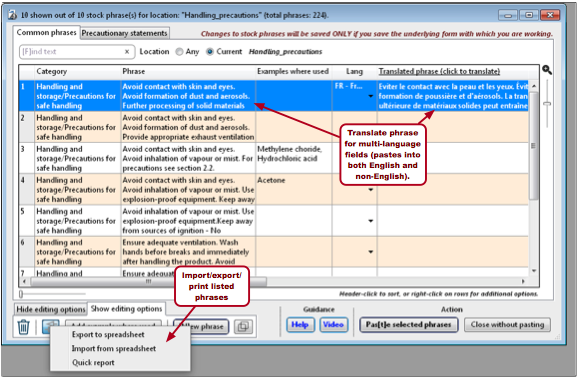
Stock phrases dialog (paste one or more expressions into target field on SDS
form). Stock phrases accessible in additional program
locations.
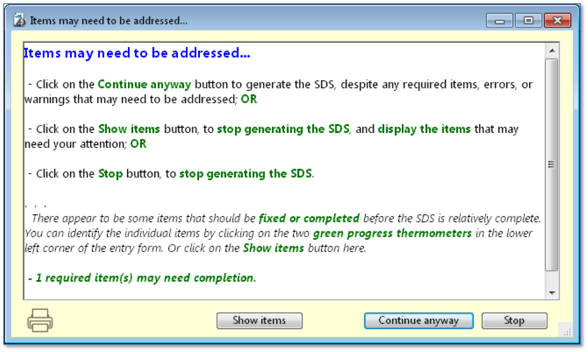
Warning before building the SDS, if action items need to be addressed
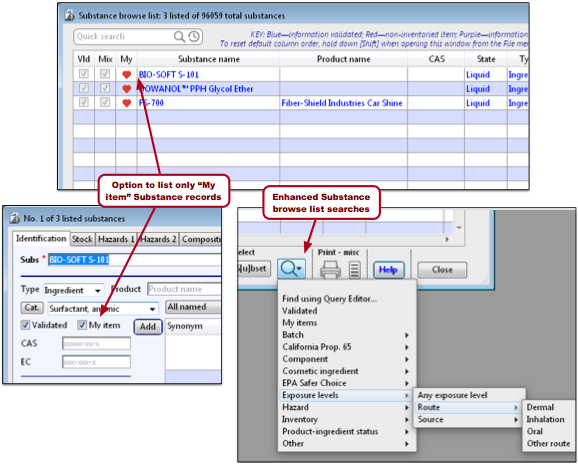
Substances browse list and entry form improvements
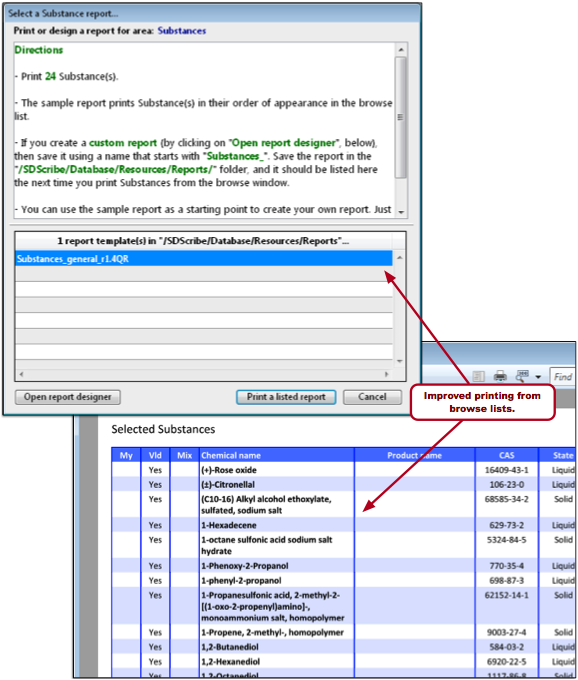
Printing from the Substances browse list
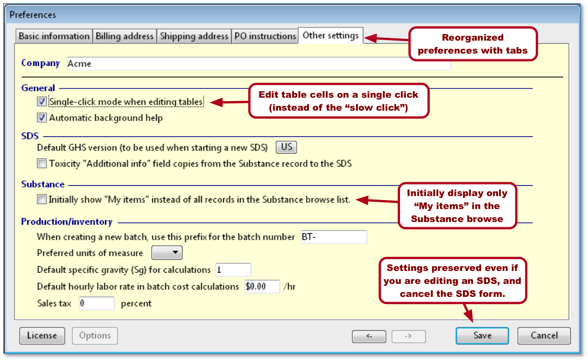
Program preferences enhancements

Batch entry form streamlined to improve ease of use and functionality.
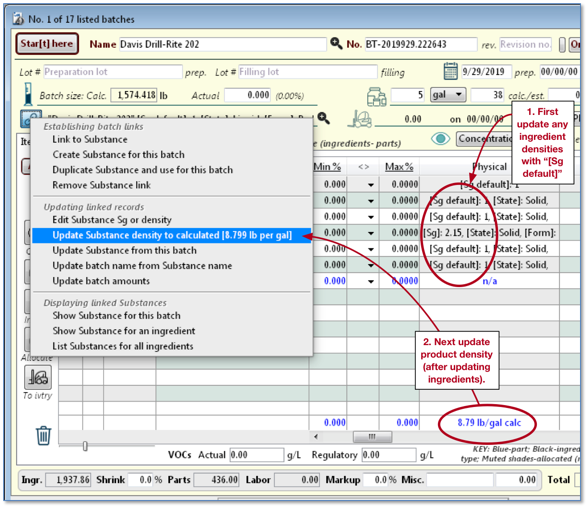
Estimated product density in footer of the "Physical" column can be
fed back into the linked Substance. It can also be used in conjunction with the
graduated slider, to adjust the batch to a desired density.
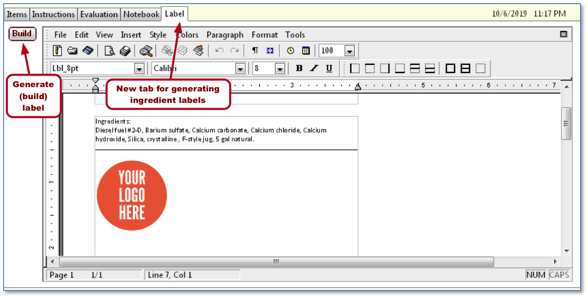
New fifth tab on batch entry form, for generating ingredient
labels.
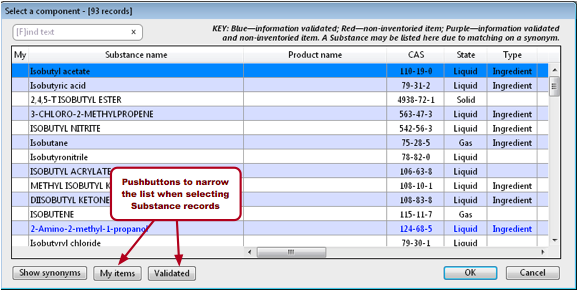
Select Substance(s) dialogs
[Rev. 10.7.2019]